What the job does
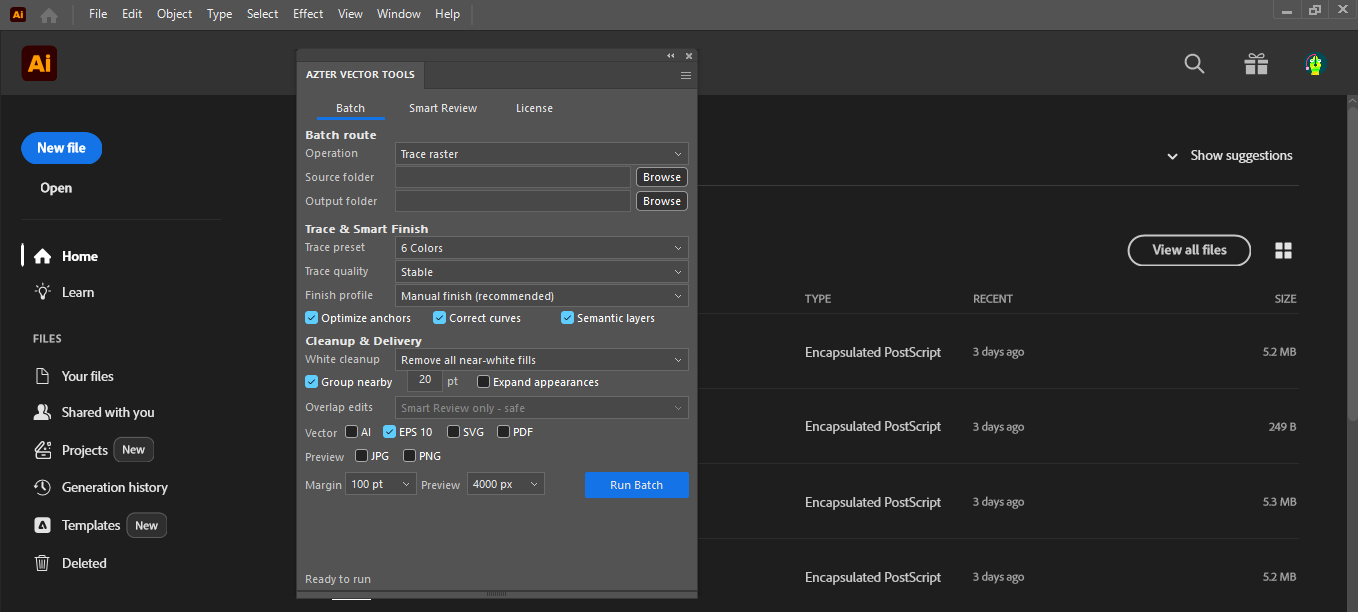
AZTER opens each vector file, applies only the cleanup options you select, fits the artboard to visible artwork, and writes a new output file.
Source files, output, and settings
Source files: AI, EPS, and SVG vector files.
Output: New AI, EPS, or SVG files in the chosen output folder.
- Keep white, remove all near-white fills, or remove background and small debris
- Optional appearance expansion and Pathfinder operation
- Optional removal of objects fully outside the active artboard
- Optional grouping of nearby top-level artwork
Jobs that fit this workflow
Group files that need the same production rule. The output will be easier to review, and you can repeat the job with the same settings.
- Removing unwanted white trace debris
- Clearing objects left outside the artboard
- Standardizing a received vector collection before production
Checks before a larger batch
A batch handles repeatable steps. Visual choices still need review.
- White artwork can be intentional; choose the white-fill policy carefully.
- Pathfinder and appearance expansion can change editable structure.
- Review a sample before applying a policy to a large folder.
Workflow
Run a batch in four steps
- 01
Separate files that need the same cleanup rule.
- 02
Choose source and output folders.
- 03
Select only the cleanup operations the artwork requires.
- 04
Run the batch and inspect representative outputs before delivery.
FAQ
Frequently asked questions
Which Adobe Illustrator versions are supported?
Adobe Illustrator CC 2019, 2020–2026 on 64-bit Windows.
Will AZTER overwrite source files?
No. You choose separate source and output folders. If an output name already exists, AZTER adds a number. It replaces an existing file only when you turn on Overwrite.
Can I try it before purchasing?
Yes. The trial covers up to 10 source files and requires an internet connection. Purchase and activation take place from the License screen in the app.
How many devices does one license cover?
One license covers two Windows devices for either CorelDRAW or Illustrator. The editions are sold separately.