What the job does
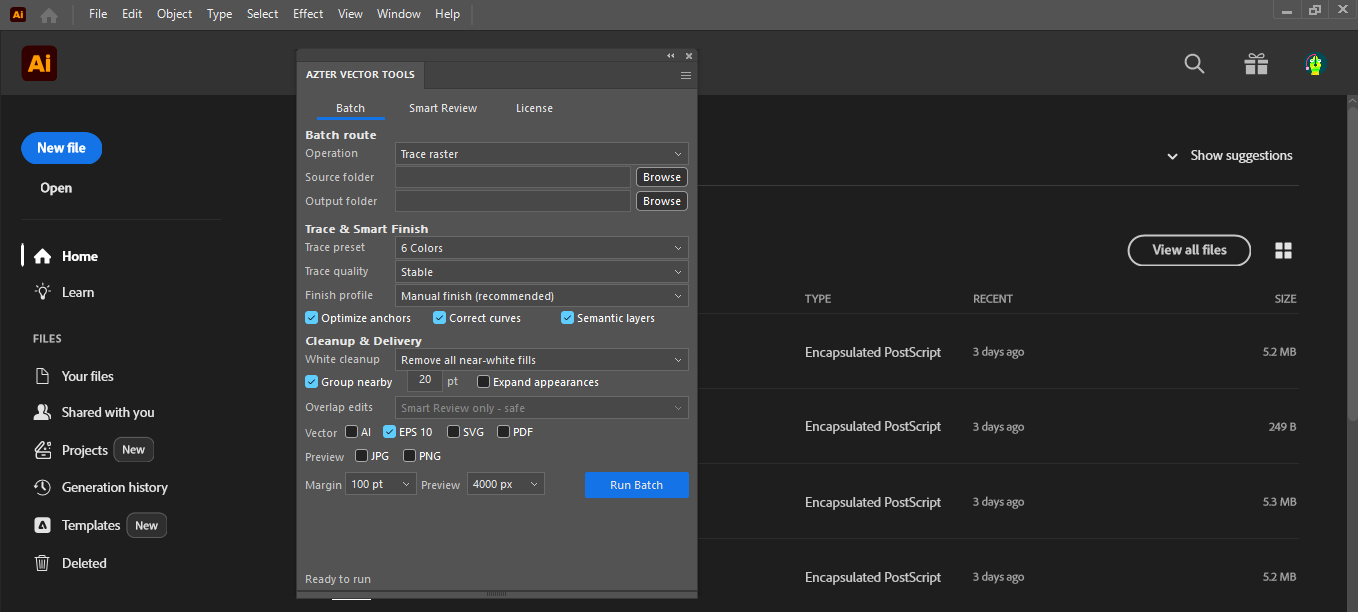
AZTER places one image at a time, applies the Illustrator Image Trace preset you choose, expands the result, performs conservative cleanup, fits the artboard, and saves the selected outputs.
Source files, output, and settings
Source files: BMP, GIF, JPEG/JPG, PNG, PSD, and TIFF/TIF raster files.
Output: Selected AI, EPS, or SVG vector files, with optional JPG or transparent PNG previews.
- Illustrator Image Trace preset
- Stable, smooth illustration, high-detail, or line-art quality profile
- Selected vector formats and optional raster previews
- Artboard-fit and preview options
Jobs that fit this workflow
Group files that need the same production rule. The output will be easier to review, and you can repeat the job with the same settings.
- Preparing multiple illustrations for editing
- Creating consistent vector deliveries from a raster set
- Generating review previews alongside vector output
Checks before a larger batch
A batch handles repeatable steps. Visual choices still need review.
- Trace quality still depends on source-image quality and the selected preset.
- Complex artwork should be reviewed after tracing.
- The source and output folders must be different.
Workflow
Run a batch in four steps
- 01
Put compatible raster images in one source folder.
- 02
Choose a separate output folder so originals stay untouched.
- 03
Select the trace preset, quality profile, and output formats.
- 04
Run the batch and review the completion summary.
FAQ
Frequently asked questions
Which Adobe Illustrator versions are supported?
Adobe Illustrator CC 2019, 2020–2026 on 64-bit Windows.
Will AZTER overwrite source files?
No. You choose separate source and output folders. If an output name already exists, AZTER adds a number. It replaces an existing file only when you turn on Overwrite.
Can I try it before purchasing?
Yes. The trial covers up to 10 source files and requires an internet connection. Purchase and activation take place from the License screen in the app.
How many devices does one license cover?
One license covers two Windows devices for either CorelDRAW or Illustrator. The editions are sold separately.