
Before you begin
- One folder should represent one processing rule.
- Source and output locations should be separate and predictable.
- Naming rules need collision handling.
- A completion summary and sample review are part of the process.
Map the workflow before choosing software
Manual processing suits a small set or a rule that has not been tested yet.
- List repeated steps and remove steps that are actually creative decisions.
- Define accepted input formats and quality conditions.
- Define output formats, size, background, and naming.
- Assign a review checkpoint and an owner for failed files.
Quality checks before delivery
Open representative outputs and review the actual vector or raster file at the size and in the application that matters.
- Input consistency
- Output naming and destination
- Visual acceptance checks
- Failure and exception ownership
Troubleshooting
Keep the source unchanged while you diagnose a failed file. Other files in the batch can continue.
- If results vary, improve source grouping before adding more settings.
- If people use different names or folders, standardize the handoff structure.
- If every file needs a different decision, keep that stage manual.
Workflow
Batch workflow in AZTER
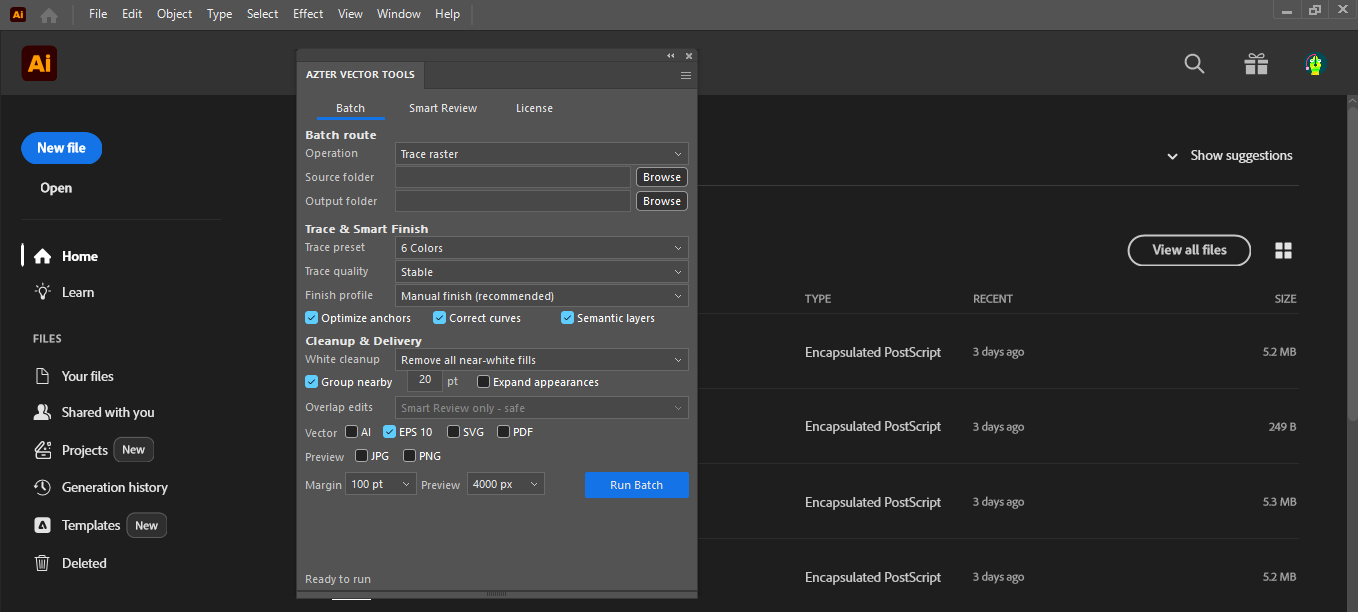
Start the batch after grouping the source files and defining the output.
- 01
Start with one high-frequency, low-ambiguity task.
- 02
Create a representative test folder, including one or two difficult files.
- 03
Choose the Illustrator or CorelDRAW edition that matches the host workflow.
- 04
Run a small batch and compare outputs against the written acceptance checks.
- 05
Expand volume only after the rule is stable.
FAQ
Frequently asked questions
Should I test every batch on a small set first?
Yes. Use representative files, including at least one difficult example, before applying one rule to a large folder.
Does AZTER change the source files?
No. AZTER uses separate source and output folders. If an output name already exists, AZTER adds a number. It replaces an existing file only when you enable Overwrite.
What happens if one file fails?
The failure is reported and ordinary per-file failures do not stop the rest of the batch. Review the completion summary and handle the exception separately.